AI task generator for iOS & macOS

With TaskMaker you can automatically create tasks from notes, emails, chats, audio files (WAV, MP3, M4A) and (new in 1.2) images. Everything is created directly in Apple Reminders—no manual typing.

Perfect if you’re looking for AI task extraction or want to turn meeting notes and voice memos into actionable to‑dos.

  • Great for everyday life and work
  • Automatically detects due dates & deadlines
  • Available on iOS & macOS

A helpful assistant

TaskMaker is a productivity automation tool: bring your content, get clean tasks. Save time, avoid manual data entry, and keep everything in one place.

🧾

Tasks are hidden everywhere

Messages, emails, meeting notes, or voice memos: TaskMaker finds the tasks that would otherwise get lost.

⏱️

Less typing, more doing

Instead of creating tasks manually, have them extracted automatically—incl. due dates when possible.

Directly in Apple Reminders

Your extracted tasks end up where you already plan: the Reminders app on iPhone, iPad, and Mac.
Everyday life & work

Everyday life

  • Turn shopping notes into tasks
  • Capture appointments & errands
  • Pull family to-dos from chats
  • Voice memo → task list

Work

  • Meeting notes → follow-ups
  • Emails → tasks with due dates
  • Minutes → structured to-dos
  • Collect fast, review later

How it works

📥

Bring text, audio, or an image

Share from other apps, paste from the clipboard, or import files. Images are supported too.

🧠

Extract tasks

TaskMaker identifies actionable tasks and detects dates/deadlines. Audio is transcribed locally.

🗓️

Create in Reminders

With one tap, tasks are created in Apple Reminders—done.

Image workflow (new in version 1.2)

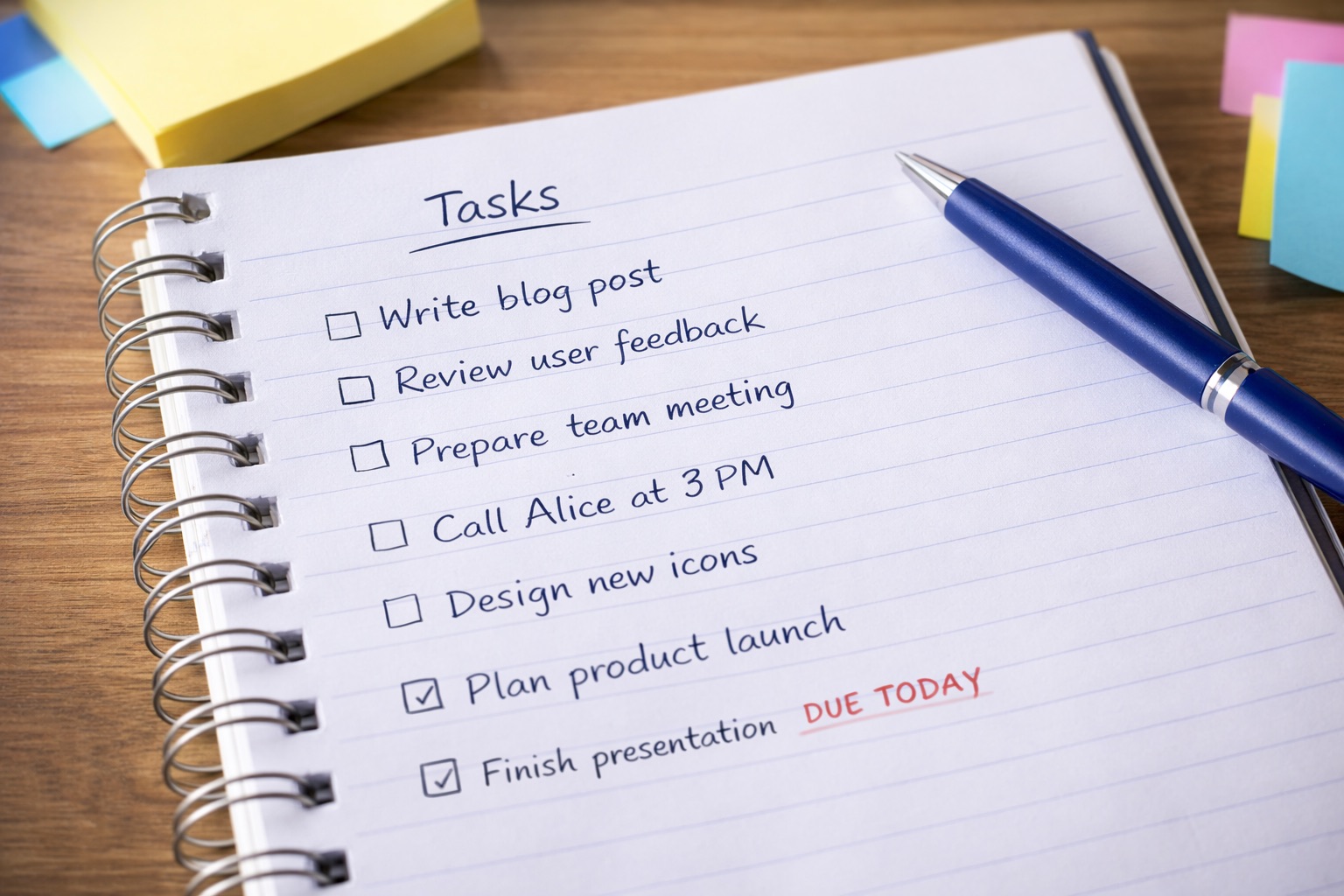
Choose “Take photo” on the start screen (or share/import an image). TaskMaker reads text locally via OCR first and suggests tasks. Optionally—and only with consent—a downscaled image can be used for AI analysis.

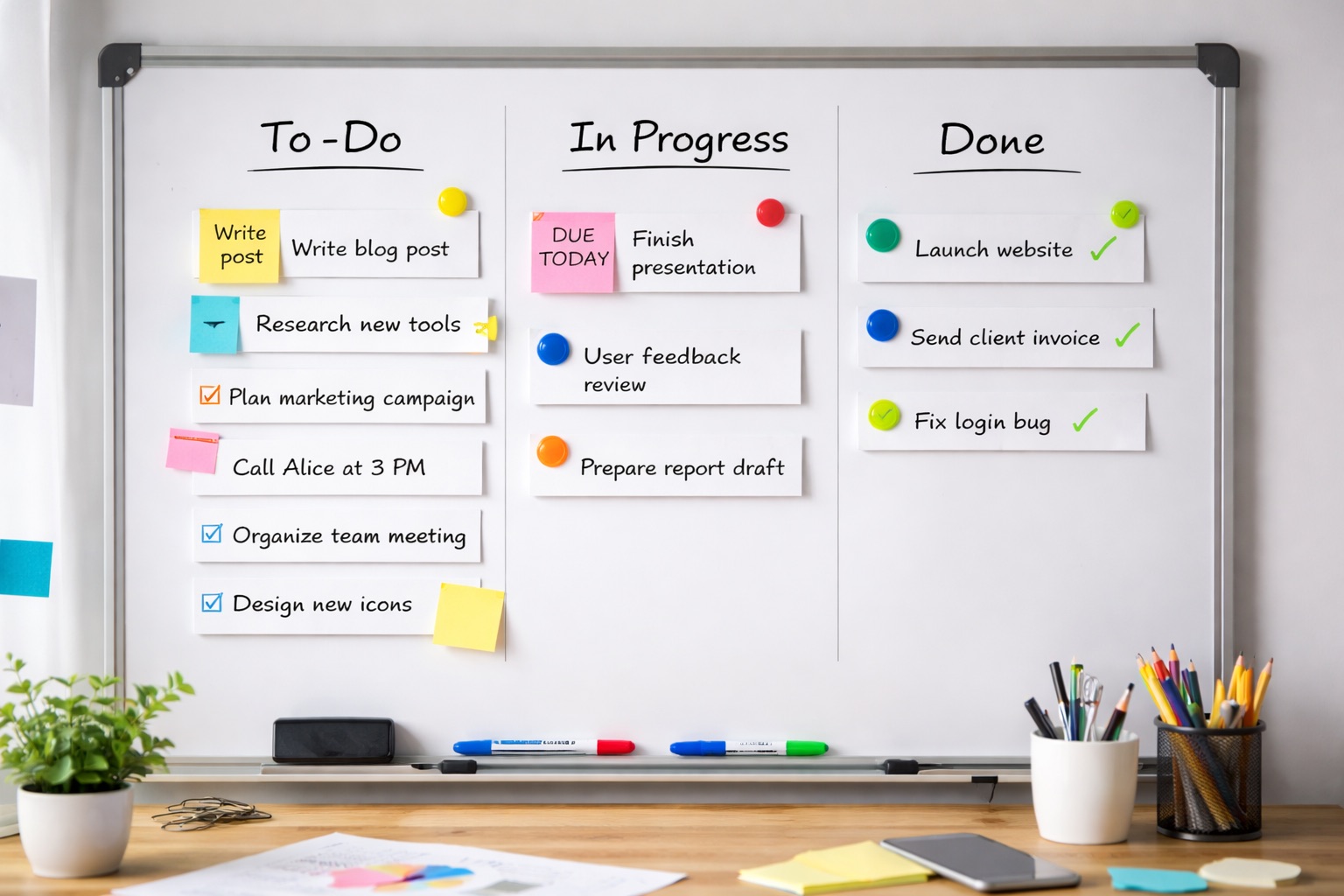
Example input: whiteboard photo for image analysis

1) Photo of a whiteboard

Example input: notepad photo for image analysis

2) Photo of a notepad

Result: detected tasks from an image

3) Detected tasks

New features

Share Extension (text & audio) Clipboard Drag & Drop (macOS) macOS Services Image analysis (local + optional OpenAI) Camera (iOS) Default API key included Optional personal OpenAI API key Meeting report as Markdown

Supported file types

.txt .md .wav .m4a .mp3 .caf .aiff / .aif .m4v .jpg / .jpeg .png .heic .tiff

Note: audio is transcribed locally; only text is sent to OpenAI for analysis (with consent). Images are checked locally via OCR first; only if no useful text is found, an optional downscaled image (max 2048 px) can be sent to OpenAI with separate consent.

Screenshots

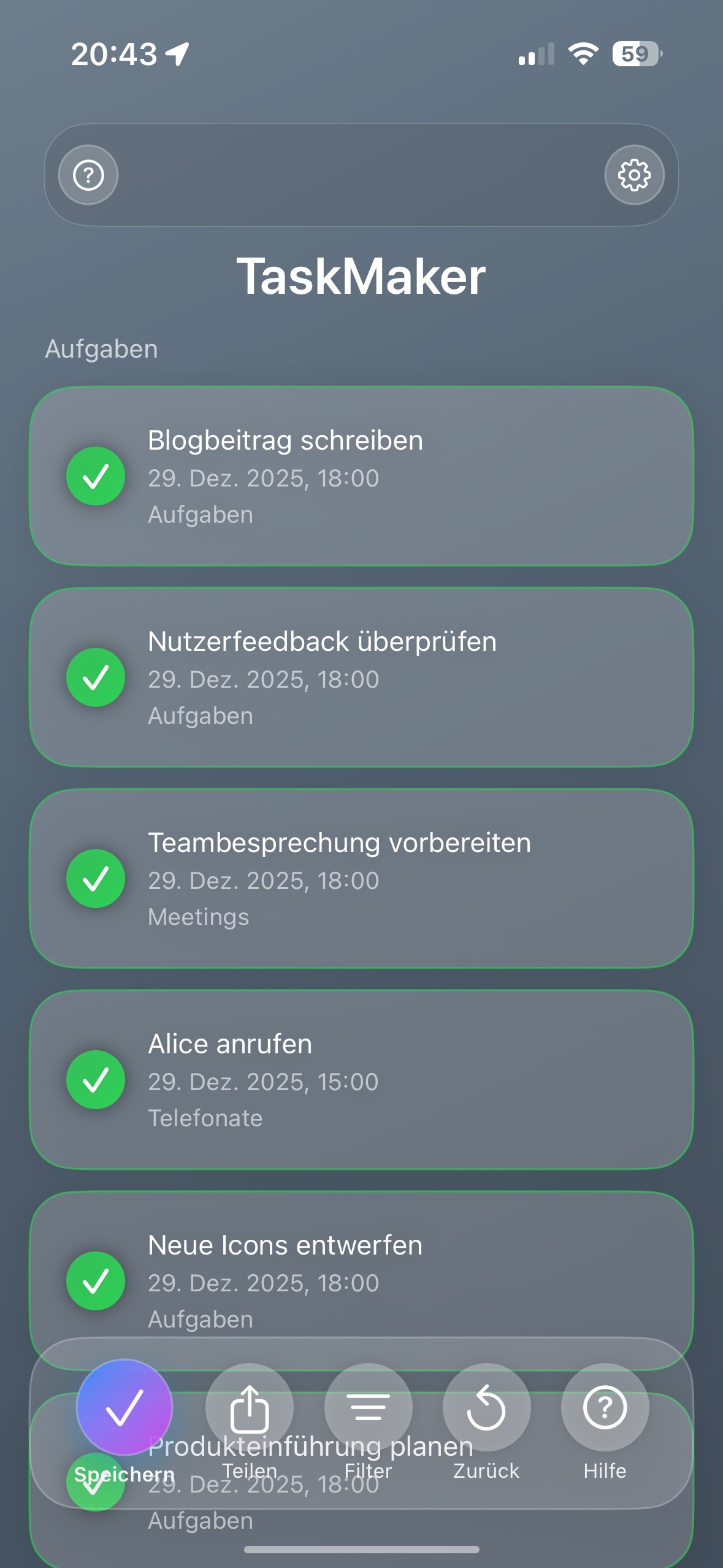
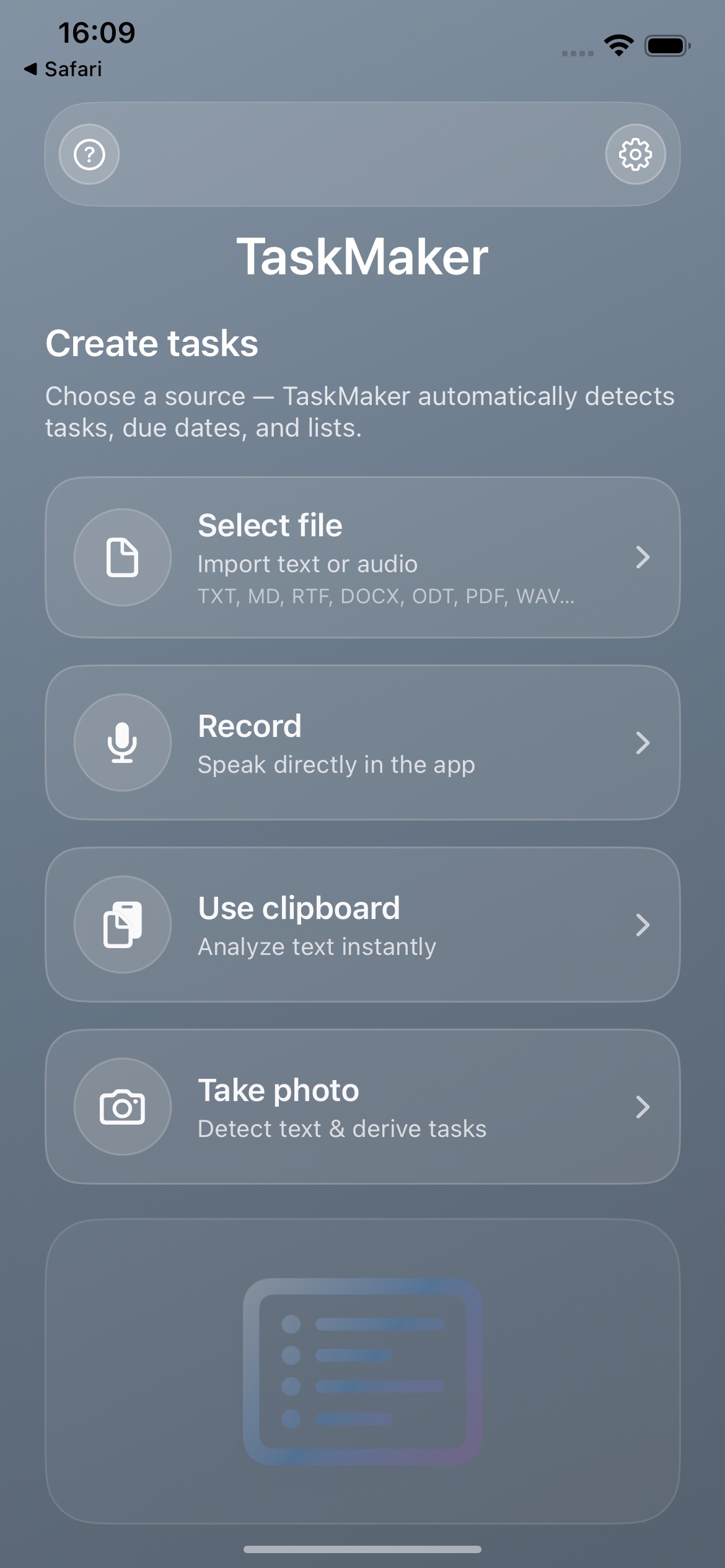
TaskMaker iOS: AI task generator – Start Screen (Version 1.2)

iOS - New start screen (1.2)

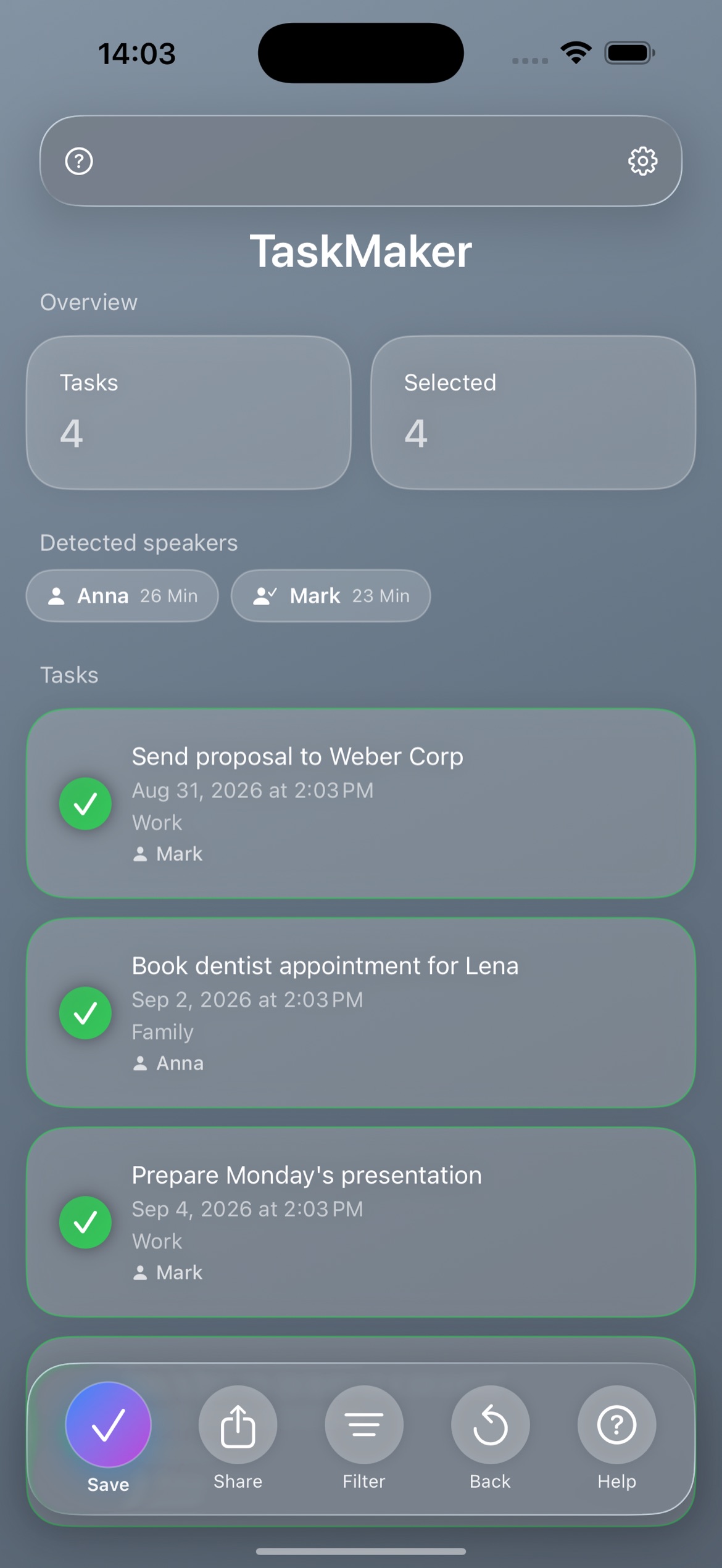
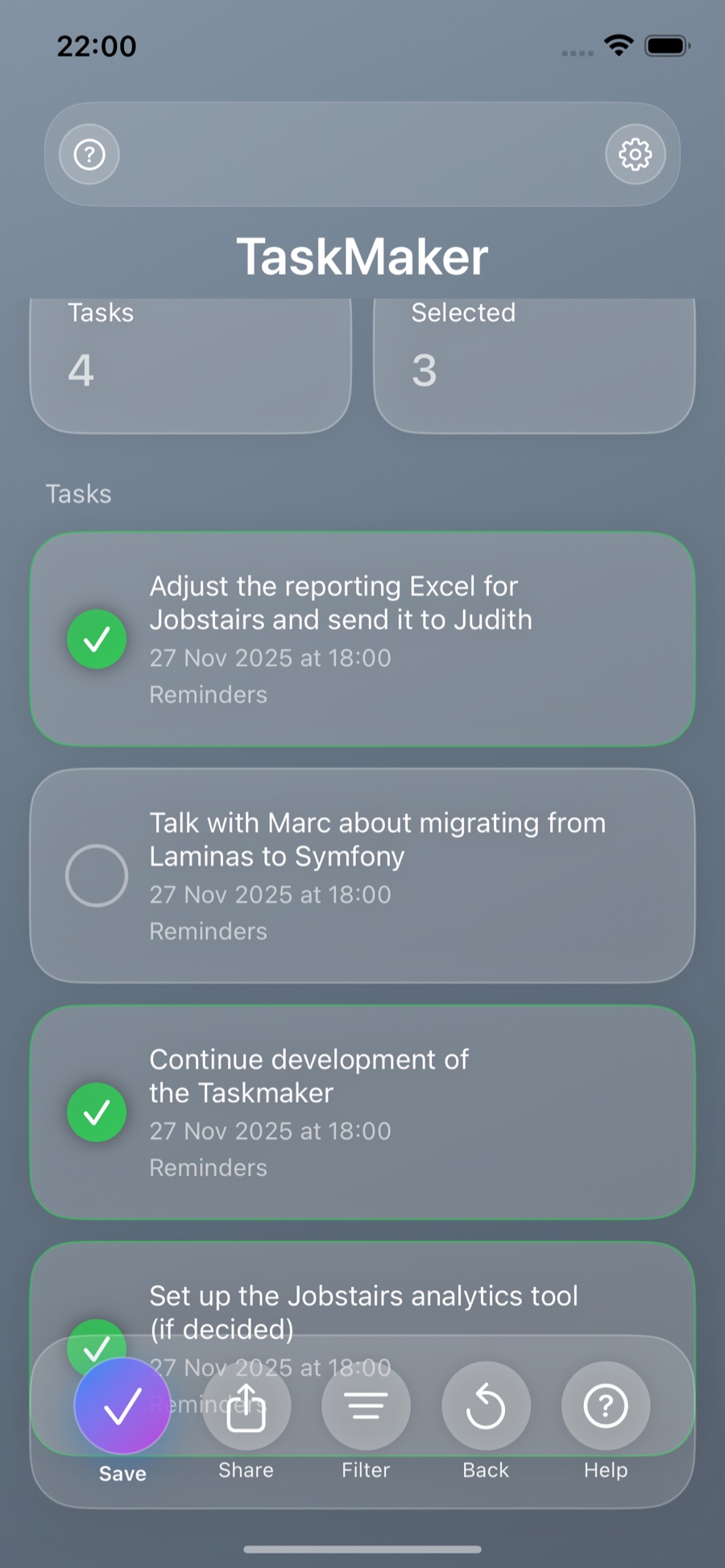
TaskMaker iOS: extracted task list in Apple Reminders (AI task extraction)

iOS - Task List

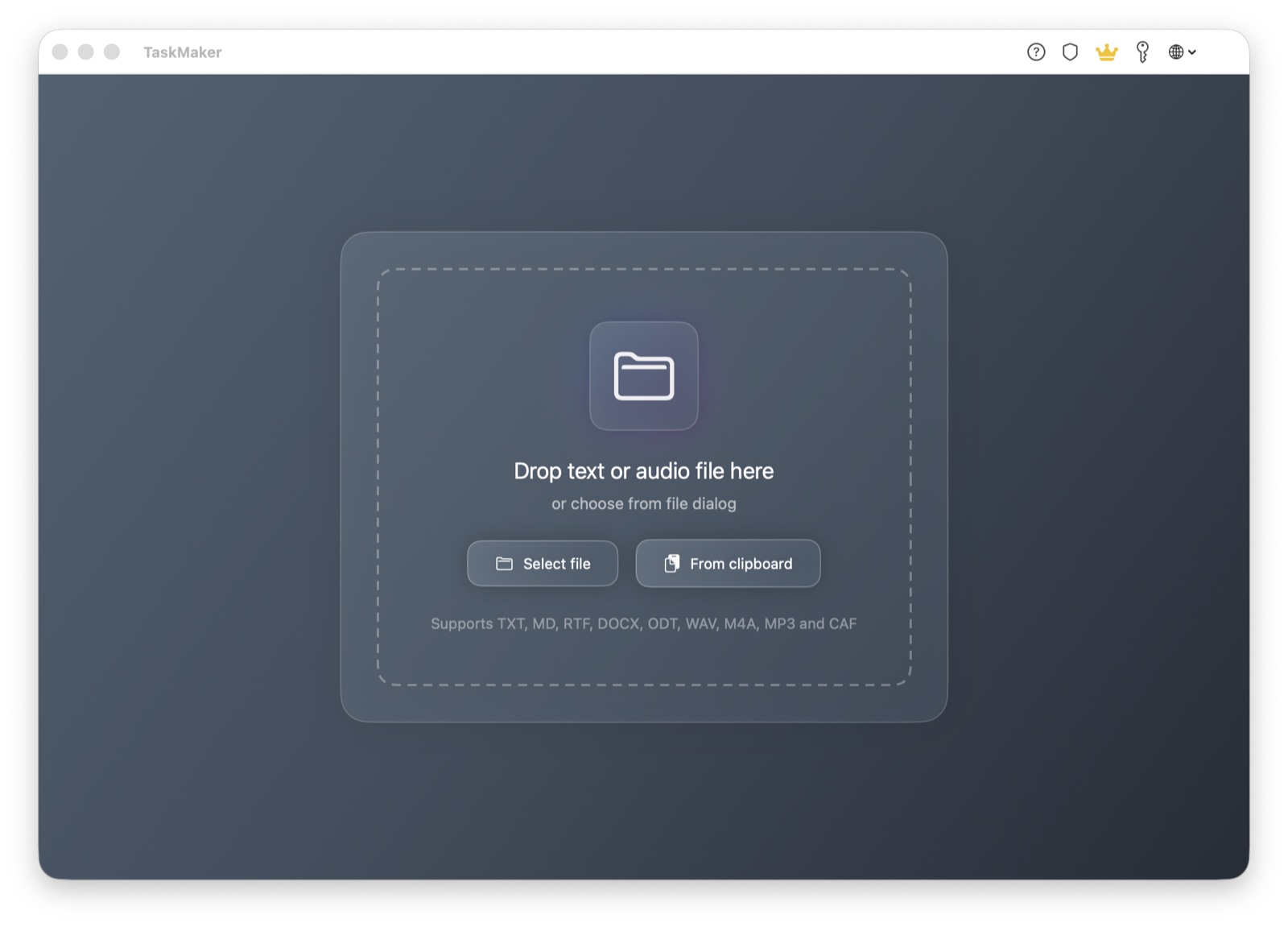
TaskMaker macOS Start Screen

macOS - Start Screen

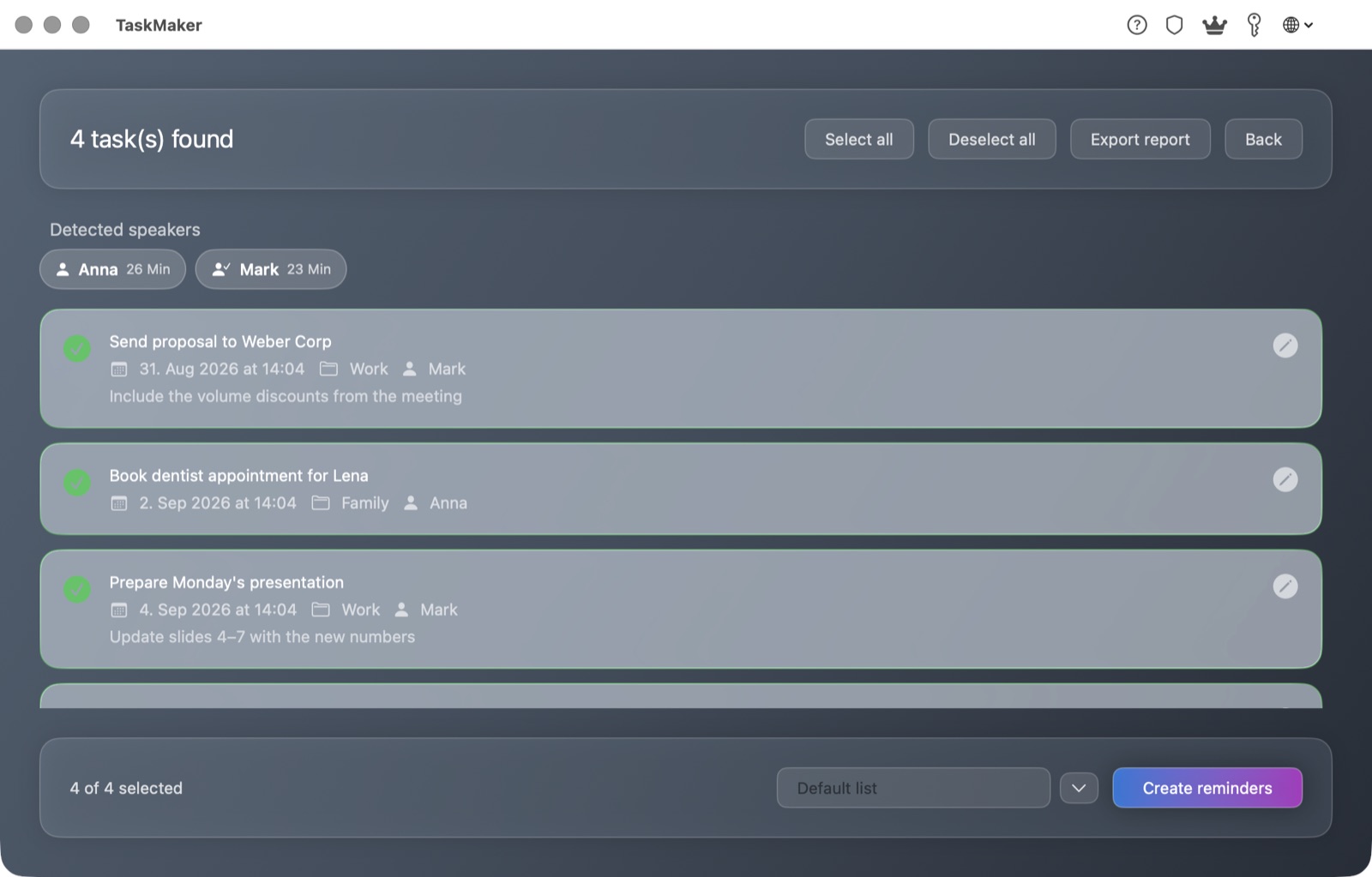
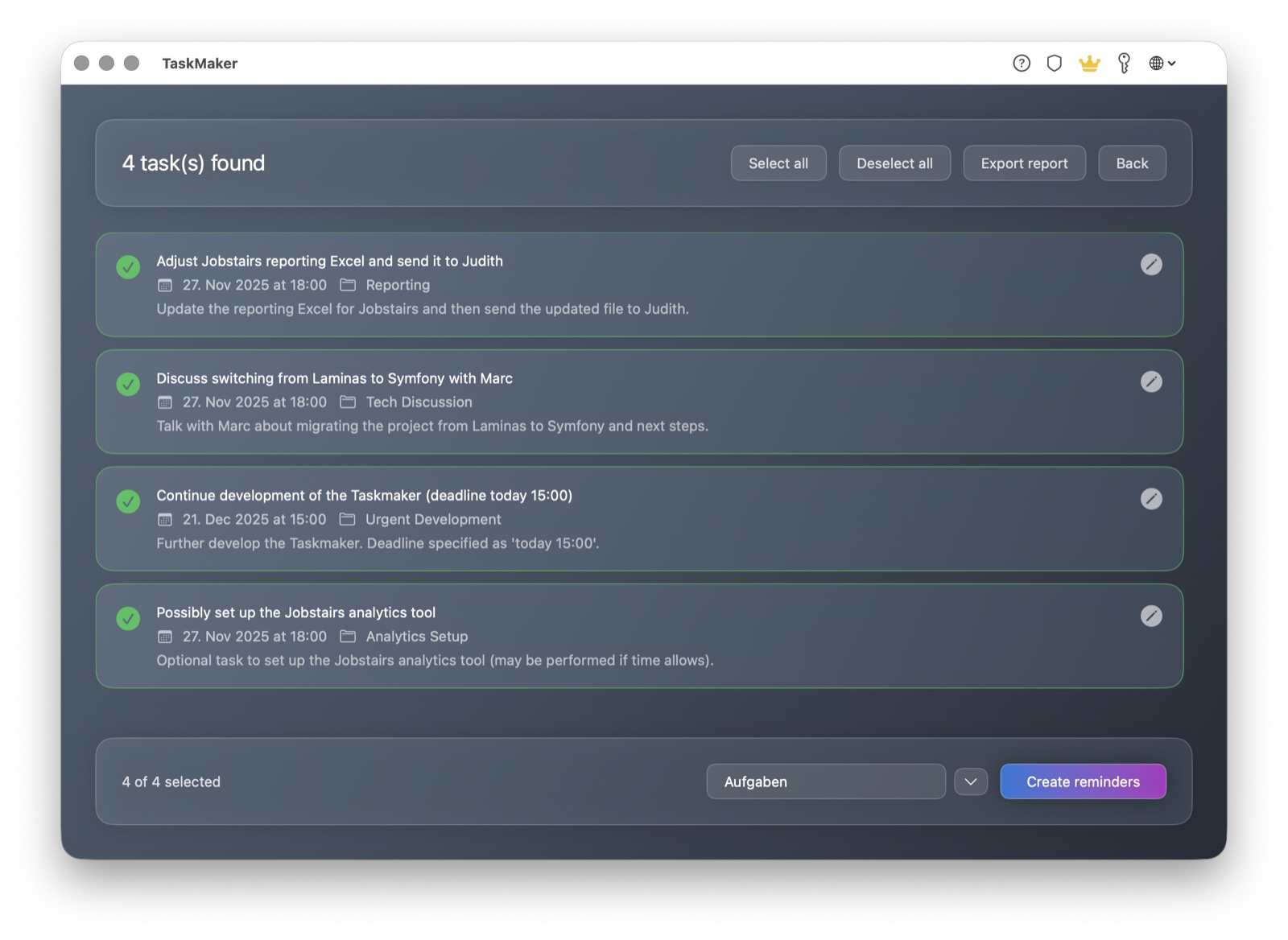
TaskMaker macOS Task List

macOS - Task List

Available for

📱

iOS

For iPhone and iPad. Share text, import audio, extract tasks—fast and practical.

  • ✓ In-app audio recording
  • ✓ Share Extension
  • ✓ Clipboard integration
  • ✓ Dark Mode
💻

macOS

Native macOS app with Drag & Drop, Services integration, and modern Liquid Glass design.

  • ✓ Drag & Drop
  • ✓ Services integration
  • ✓ Liquid Glass design
  • ✓ Dark Mode

Pricing

TaskMaker
Free

The app is free. For AI analysis you either need your own OpenAI API key or the TaskMaker AI subscription.

  • Extract tasks from text
  • Create directly in Apple Reminders
  • Audio is transcribed locally
  • Analyze images locally (OCR) & suggest tasks
  • Use for free with your own OpenAI API key

TaskMaker AI (optional)
7-day free trial

If you want to use the built-in AI: try for free for 7 days, then €0.99 / month. Cancel anytime.

  • AI analysis for text & audio
  • Detect due dates & deadlines
  • Summaries & structuring

Terms: Apple Standard EULA

FAQ

How do I automatically create tasks from text?

Share or paste text from notes, emails, or chats. TaskMaker extracts actionable tasks, can detect due dates, and creates everything in Apple Reminders.

Can TaskMaker generate tasks from audio files?

Yes. Audio is transcribed locally. TaskMaker then extracts tasks from the text. AI analysis is only used when you consent.

Does it work with photos, screenshots and whiteboards?

Yes. Images are checked locally via OCR first. Only if no useful text is found, an optional downscaled image (max 2048 px) can be sent to OpenAI with separate consent.

Do I need a subscription or my own OpenAI API key?

The app is free. For AI features you either need your own OpenAI API key or the optional TaskMaker AI subscription (€0.99 / month after a trial).

Which apps and workflows are supported?

TaskMaker integrates with iOS & macOS and creates tasks directly in Apple Reminders. Import via Share Sheet, clipboard, file import, or Drag & Drop.

Ready to type less?

Get TaskMaker on the App Store and turn text and audio into real tasks—for everyday life and work.